T2202 and T4A information
2025 Tuition Tax Receipts (T2202) available February 28, 2026
** T2202s will be available by February 28, 2026 covering the 2025 Tax Year from January 1, 2025 to December 31, 2025. (Note: If you are registered and attending in 2026, your T2202 will be available in 2027)
We require your Social Insurance Number for tax purposes!
Beginning with the 2019 income tax year, the T2202 (Tuition and Enrolment Certificate) now includes the student’s Social Insurance Number (SIN). This is required for income tax purposes. Cambrian College, as issuer of the T2202 form has a legislated obligation to ask for and report SINs on the T2202 forms.
If you have not provided your Social Insurance Number (SIN) to the College, you can simply do so by stopping by the Enrolment Centre during office hours or doing it yourself through your myCambrian portal.

Caution
Do not send your SIN via email to protect your personal information.
For more information please read more about the T2202 form on the Canada Revenue Agency (CRA) website and CRA Brochure about Students and Income Tax.
What is a T2202?
The Tuition and Enrolment Certificate (T2202) is a Canadian tax slip issued by educational institutions to students, detailing tuition paid for tax purposes. The T2202 form allows you to reduce any income tax you may owe by claiming a tuition tax credit. It includes the student’s SIN and is accessible via the myCambrian portal.
T2202 forms are released by February 28th for the preceding calendar year (January 1 – December 31). If you are attending school in the current year, T2202 forms will be available next year.
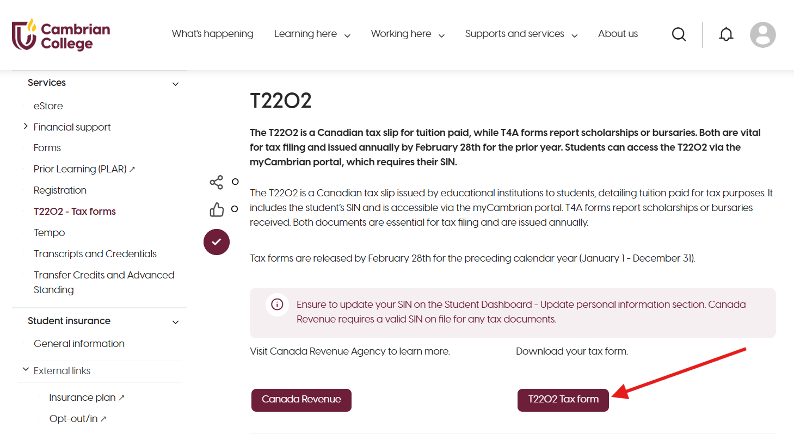
Your T2202 form can be accessed by logging into to your myCambrian portal or through your mySelfServe portal. Under the Home tab, scroll to the Registrar’s Office, T2202 – Tax Forms or search T2202. Click on the access link as displayed below:
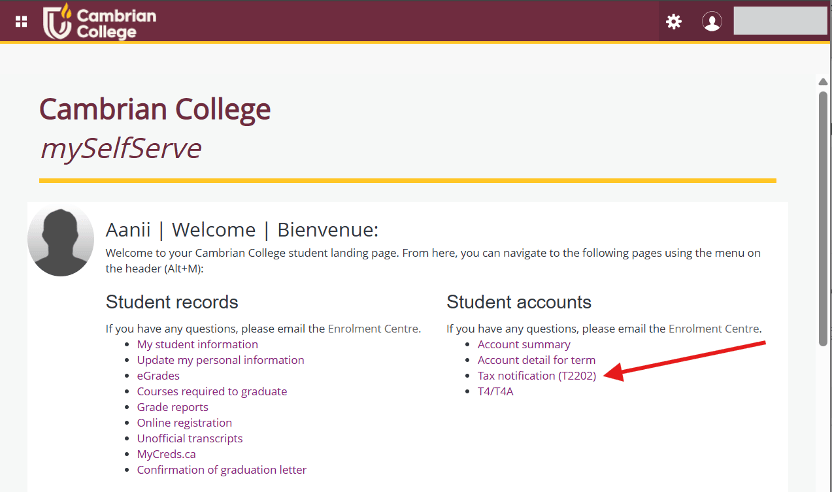
mySelfServe is your personal and secure online account portal. To access your T2202 form, scroll to Student accounts, then Tax notification (T2202).
For details about how to use your account please review our knowledge base article.
If you experience any issues logging in, please contact the IT Service Desk at 705-566-8101, Option 3 between 8 a.m. and 4:30 p.m. EST or submit a ticket.
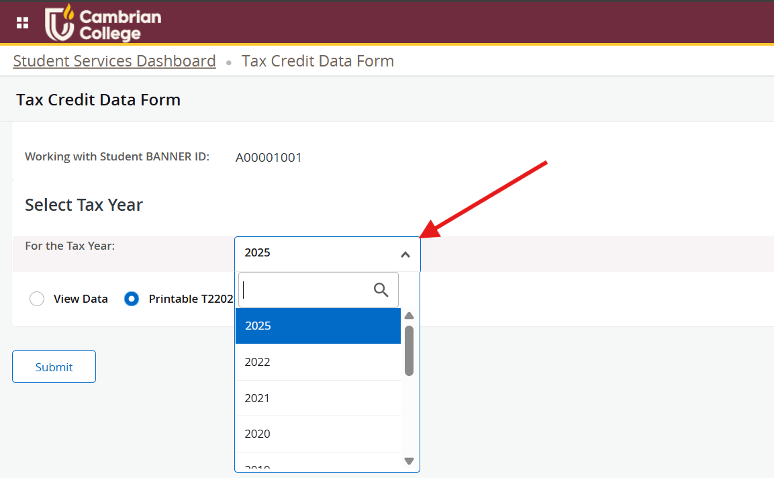
You must select the appropriate year; the tax years will display only for the years that there is actual information available as displayed below:
Please note
No certificate is produced if total eligible fees are less than $500 for the tax year. The PDF report will appear on the screen for printing.
Also, the federal education and textbook tax credits were eliminated effective January 1, 2017. You will still be able to carry forward unused education and textbook credit amounts from years prior to 2017. The tuition tax credit was not eliminated.
This access is available for approximately one year after graduation or last registration. If you no longer have access to your myCambrian portal, you must request T2202 forms from the Enrolment Centre.
If you have no T2202 showing for a specific year and you think there should be or if you need any assistance, please contact the Enrolment Centre.
You can make this request:
- in person at the Enrolment Centre (Room 2037)
- by phone sign up for a callback
- by email enrolmentcentre@cambriancollege.ca
- request a callback Enrolment Centre – Join the queue for a callback
- by mail Enrolment Centre, Cambrian College, 1400 Barry Downe Rd, Sudbury ON, P3A 3V8
What is a T4A?
A Statement of Pension, Retirement, Annuity, and Other Income (T4A) is provided by the College to students who have received awards, including scholarships and bursaries, in the previous tax year that amount to $500.00 or greater. These slips are mailed to students in late February each year from Cambrian College’s Accounting department.
For more information, please contact Accounting by phone at (705) 566-8101 ext. 6817 or by email at accounting@cambriancollege.ca.
OSAP T4A slips
If you are a student on OSAP, who has have received grants you will have a T4A available the following year. You can access this document through your online account with the National Student Loans Service Centre (NSLSC) account. From your online mailbox, you will be able to view, save and print your T4A slip and your Income Tax Receipt for interest paid.
For more in formation on creating a National Student Loan Centre account please click Sign up for NSLSC on-line account now.
International students
T2202 information is provided to all students to enable them to complete their Canadian tax returns. Contact a tax professional to determine whether you need to file a Canadian tax return and/or a tax return in your country of origin.
For more information please visit International students studying in Canada CRA Website.